Property management questions rarely arrive one department at a time. You might need a vendor’s contact details, a clearer view of a rent roll, and an update on tenant requests—all before your next meeting. Finding the right information is only part of the work. You also need to understand what it means and what to check next.
UnitConnect AI brings those questions into a conversation inside UnitConnect. Ask in plain language, follow up naturally, and use linked records and reports to explore the answer. The new feature helps you find information and put it in context while keeping the next decision with you.
One conversation, six specialized assistants
You don’t have to start a separate conversation for every area of your business. UnitConnect AI routes your question to the relevant specialist. Penny covers accounts payable, including bills and vendor information. Charlie handles accounts receivable and tenant account questions. Bea focuses on banking, including bank information and items not yet reflected in the books. Rhea helps interpret UnitConnect reports. Otto covers property operations and the status of requests. Hazel provides help and support for finding your way around UnitConnect and understanding how it works.
Together, these six specialists give the conversation a practical structure: ask the question you have, rather than first deciding which department’s information you need. The assistants only see information the person using them can see.
Find a vendor, then ask the next question
Consider a familiar question: “Who is our elevator vendor for this building?” In the video, Penny returns linked vendor records and distinguishes the likely elevator company from firms whose names indicate inspection services.
Importantly, Penny explains the basis for that suggestion. It is based on the vendor names, not a review of who has recently billed the building. That distinction helps you understand what the answer establishes and whether you need to investigate further.
The conversation then continues with a simple follow-up: “Can you provide their phone number?” There is no need to repeat the vendor’s name. Penny returns the selected vendor’s stored contact details. For a manager gathering information before reaching out, that conversational continuity is useful: identify the record, understand the qualification, then retrieve the contact information.
It also connects naturally with the vendor and bill information managed through UnitConnect’s expense management features.
Move from a rent-roll question to the report
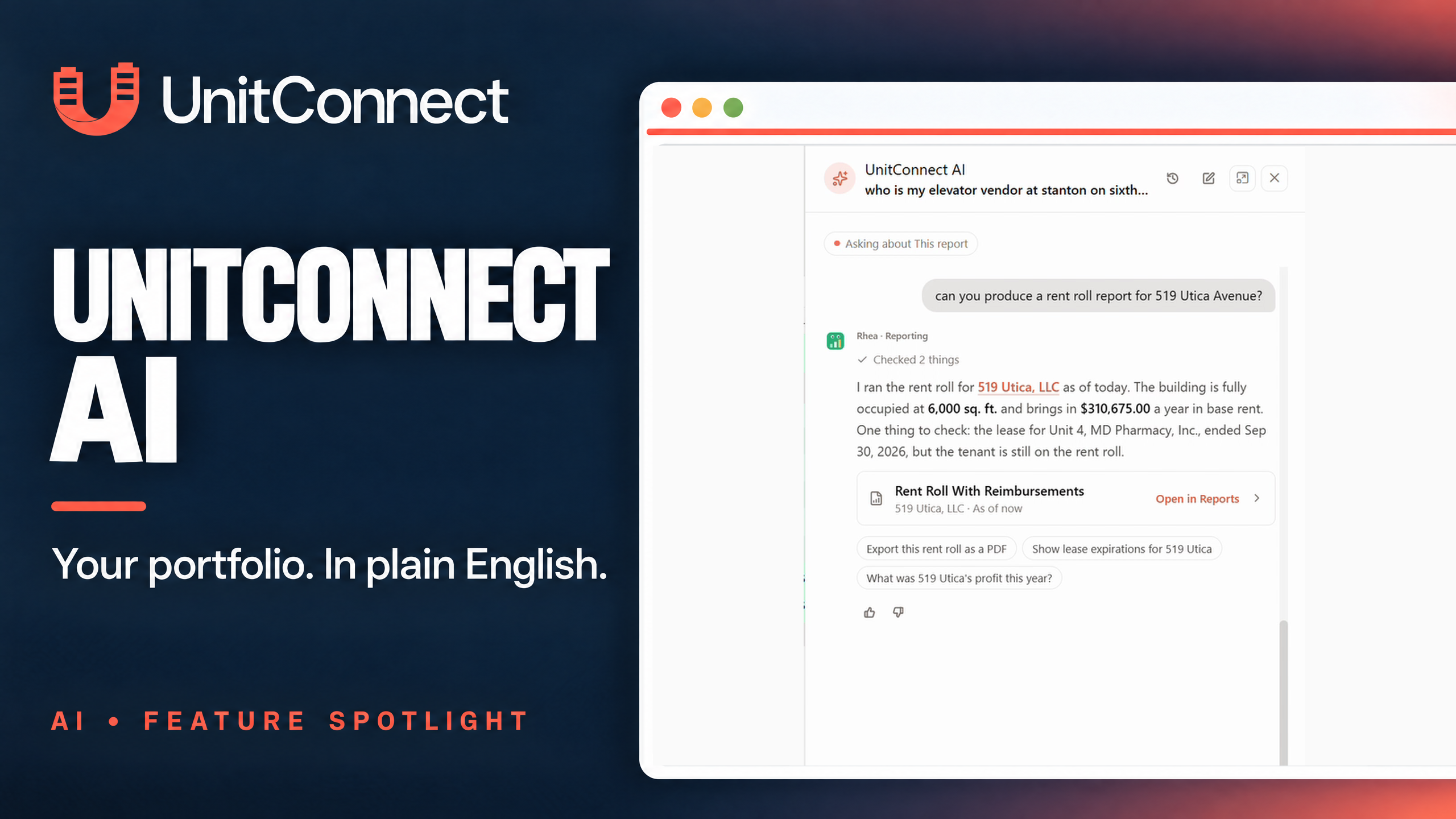
When you need a rent roll, you can ask for the property’s report in the same conversation. In the demonstration, Rhea provides a report card with an Open in Reports option. Selecting it opens the native Rent Roll With Reimbursements report inside UnitConnect.
Rhea also returns a summary of the rent roll and highlights a lease-date detail worth checking: a tenant remains on the report even though the listed lease end date has passed. That gives the manager a specific point to review, rather than just another set of totals to scan.
The conversation offers a starting point; the report provides the detail behind it. Because AI can make mistakes, review figures and relevant lease records before acting on a summary. You can explore the underlying reporting capabilities on UnitConnect’s reporting features page.
Narrow down tenants with similar names
A recognizable business name is not always enough to identify the right tenant. The same brand may appear at several properties under different operating companies.
In the video, a request for a Dunkin Donuts tenant’s phone number produces seven matching tenant records. Charlie provides linked records and account context, then asks which property or company the user means. The phone lookup is not completed in this example; the next step is to identify the intended tenant.
That clarification matters. A useful answer can be a better question—especially when choosing the wrong record would send you in the wrong direction.
See which tenant requests need attention
Ask about tasks reported by tenants this week, and Otto helps surface recent requests and their assignment status.
The demonstration distinguishes one request filed that week from another filed the previous week. Both are still New and Unassigned. That distinction keeps the time frame clear while showing work that may need attention.
No assignment happens in this exchange. The manager decides the next step. For teams coordinating maintenance and other tenant issues, this offers a conversational way to review activity alongside UnitConnect’s work request features.
A look at the Claude connector setup
The video also shows UnitConnect being added as a custom connector in Claude. This is a look at the setup process: sign-in is still required before using the connection. It does not demonstrate an authenticated Claude conversation carrying out a UnitConnect task.
Start with the question you need answered
UnitConnect AI brings everyday property questions closer to the records and reports behind them. Find vendor information, clarify a tenant match, open a rent roll, or review requests—then use that context to decide what comes next.
Want to see how it fits your team’s workflow? Schedule a UnitConnect demo.