Charges that recur until they should not
Rent increases, additional charges, and sales tax when you need them. The lease dates drive the invoice, not a forgotten spreadsheet row.
 UnitConnect
Billing & collections
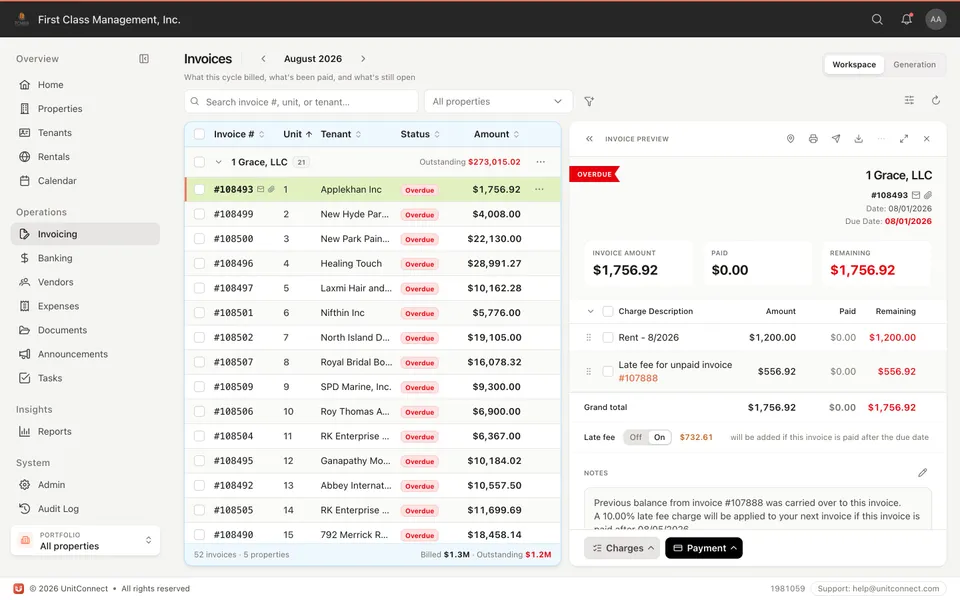
One workspace holds leases, open balances, and the tools to invoice, record payments, and calculate late fees. Retail, industrial, office, or mixed-use — the cycle is the same.
What you get
Rent increases, additional charges, and sales tax when you need them. The lease dates drive the invoice, not a forgotten spreadsheet row.
Email and SMS invoices. Tenants who prefer the portal can pay there with ACH or card.
Security deposits, automatic late fees, commencement, expiration, and options with reminders — the operational details that generic landlord apps skip.
Open balances and aging sit next to the tenant record. Record a payment without leaving the invoice.
How it runs
Commencement, increases, and recurring charges are on the tenant. Generating the cycle is a step, not a project.
Email, SMS, or the portal. The tenant sees the same numbers you do.
ACH, card, or a recorded check. Late fees calculate when the lease says they should.
FAQ
Yes. Recurring charges follow the terms you set on the lease — including additional charges and rent increases.
No. Online ACH and card are available when you want them. You can still record checks and other payments.
Yes. Add sales tax on rental income when your jurisdiction requires it.
Keep going
One shortcut finds any tenant, property, vendor or invoice — and takes you straight there.
Learn moreEvery invoice that arrives becomes visible work, and leaves only when somebody resolves it.
Learn moreReads the vendor, amount and dates off the invoice, and splits a batch scan into one item each.
Learn moreTrack CAM, taxes, and insurance against what you collected — then invoice the shortage or credit the overage.
Learn more7-day free trial of the full product. Card required, no charge until the trial ends. Cancel anytime.