Collect rent online
ACH or credit card, on the tenant’s schedule. Invoices are waiting when they sign in — no PDF chase.
 UnitConnect
Tenant experience
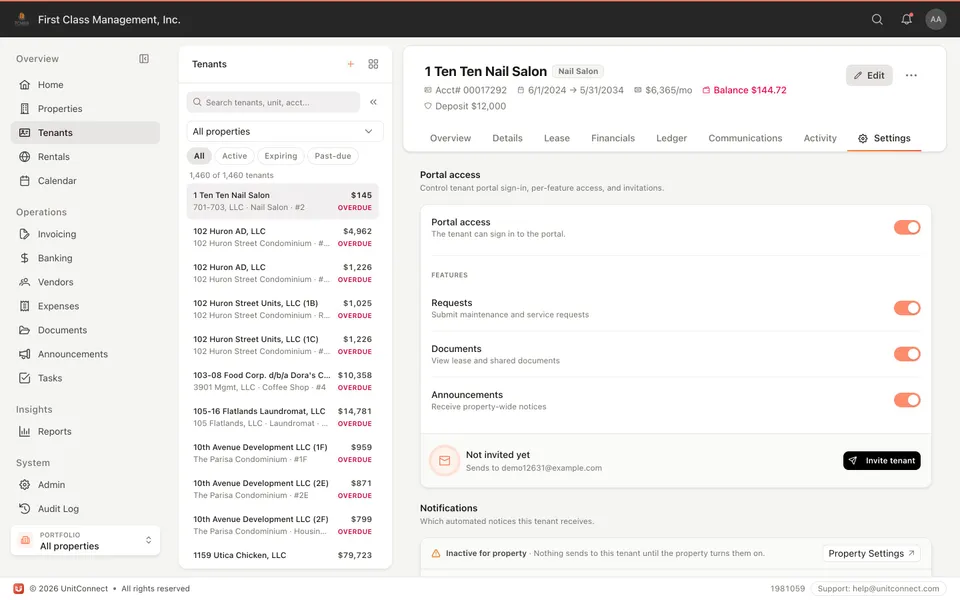
Give tenants 24-hour access to pay rent, read the lease summary, open invoices, and raise requests. You stay organized without a separate mailbox for every conversation.
What you get
ACH or credit card, on the tenant’s schedule. Invoices are waiting when they sign in — no PDF chase.
Share the terms that matter: rent, dates, and the documents you choose. Tenants look it up instead of calling.
Building notices go to the people in the building, not a buried email thread.
Tenants submit requests, you assign them, and both sides see the update. Configurable — turn the portal off if you need to.
How it runs
Send a registration invite. The portal is free for tenants. Multiple leases get multiple accounts.
Open invoices, lease summary, and documents you have shared. Card or ACH, without calling the office.
Work orders, updates, and assignments live on the request — not across email, text, and a sticky note.
FAQ
Yes. Tenant portal is configurable — you can turn access off at any time.
Lease information and documents you choose to share, plus invoices and payment when you enable them.
The portal is free for tenants. You send an invitation to register.
A tenant can have multiple accounts, each accessed individually.
Keep going
One shortcut finds any tenant, property, vendor or invoice — and takes you straight there.
Learn moreEvery invoice that arrives becomes visible work, and leaves only when somebody resolves it.
Learn moreReads the vendor, amount and dates off the invoice, and splits a batch scan into one item each.
Learn moreTrack CAM, taxes, and insurance against what you collected — then invoice the shortage or credit the overage.
Learn more7-day free trial of the full product. Card required, no charge until the trial ends. Cancel anytime.