Unlimited users, every plan
The plan follows the size of the portfolio, not how many people sign in. Add the office, a bookkeeper, or an owner who only needs reports.
 UnitConnect
Team access
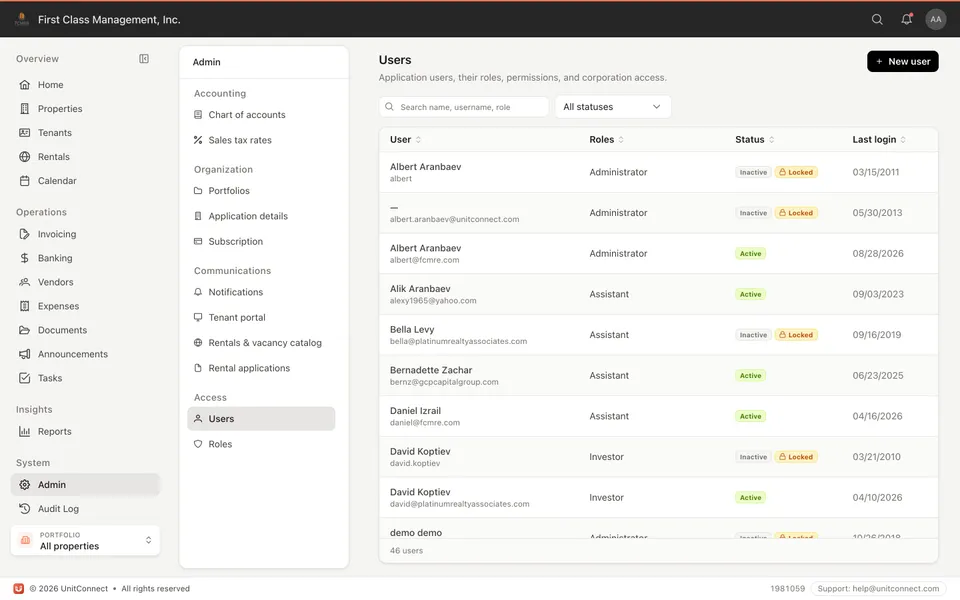
Add staff, assistants, and investors. You decide which properties and which functions each person can see. Unlimited users on every plan.
What you get
The plan follows the size of the portfolio, not how many people sign in. Add the office, a bookkeeper, or an owner who only needs reports.
Property managers, assistants, investors, reporting-only — assign a role instead of cloning the admin login.
Investors see the buildings they are entitled to. Staff see the portfolio they run.
Grant access and take it back when someone leaves. The audit trail stays with the workspace.
How it runs
Name, email, role. They sign in from any browser.
Give them the buildings they need — not the whole company by default.
Reporting-only for an investor. Day-to-day for the manager who actually invoices.
FAQ
No. Every plan includes unlimited users. The price follows the size of the portfolio.
Set them up as a user, give them the properties they are entitled to, and a reporting-focused role. They can log in whenever they need the pack.
Yes. Any modern browser. The access you granted follows them.
Yes. Grant access and revoke it when they no longer need it.
Keep going
One shortcut finds any tenant, property, vendor or invoice — and takes you straight there.
Learn moreEvery invoice that arrives becomes visible work, and leaves only when somebody resolves it.
Learn moreReads the vendor, amount and dates off the invoice, and splits a batch scan into one item each.
Learn moreTrack CAM, taxes, and insurance against what you collected — then invoice the shortage or credit the overage.
Learn more7-day free trial of the full product. Card required, no charge until the trial ends. Cancel anytime.