PennyAccounts payable
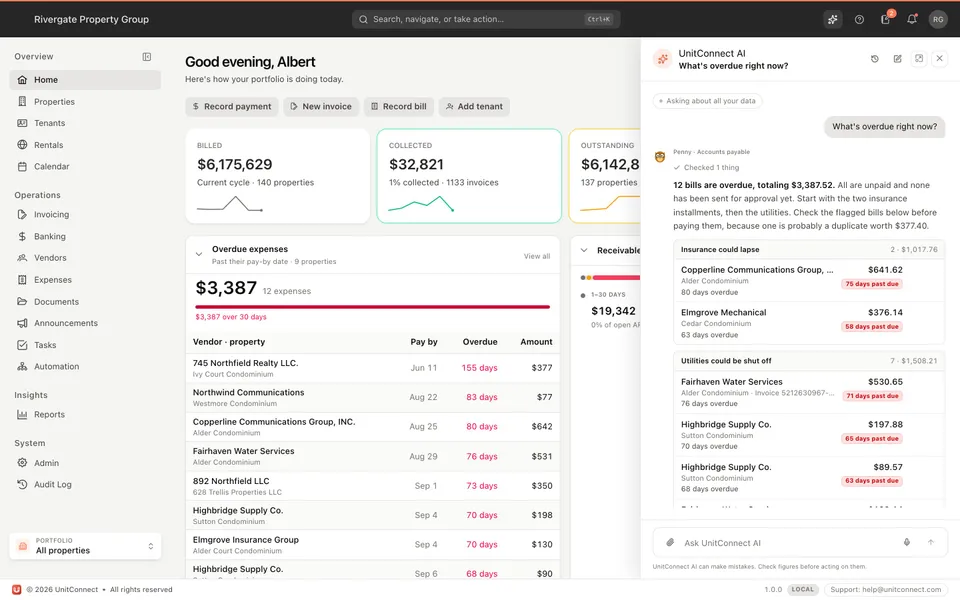
Knows your bills and vendors: what is overdue, what waits for approval, what looks like a duplicate. Drop an invoice into the chat and she prepares the expense and the payment-approval request for you to confirm.
 UnitConnect
 AI
One add-on for your whole team. It turns a stack of scanned invoices into expenses, gives you AI agents for bills, rent, banking and reports, and lets you ask Claude or ChatGPT about your portfolio. Nothing is saved until a person confirms it.
UnitConnect AI is an optional add-on from $49/month, free for the first 7 days of your trial.
What you get
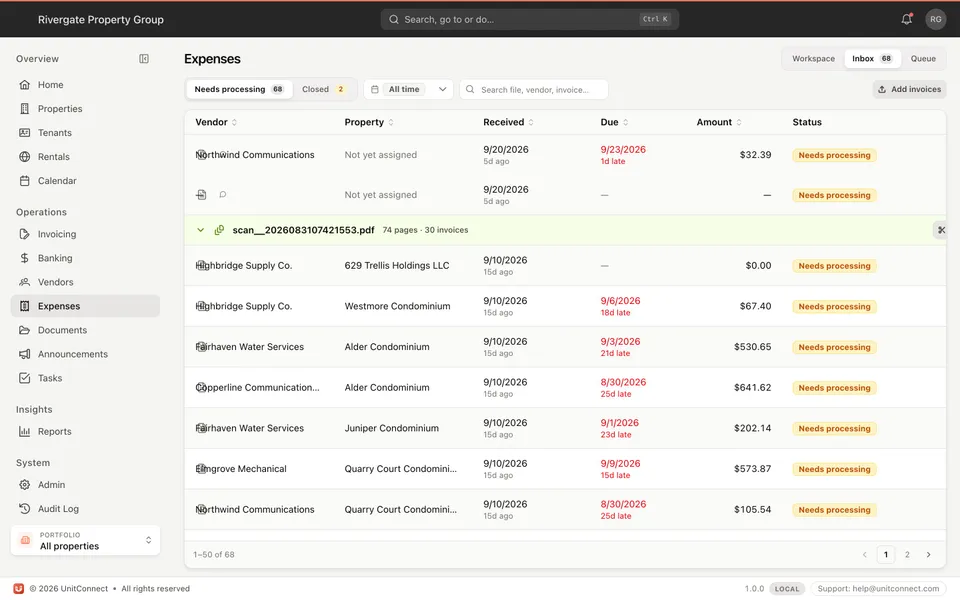
Upload the day’s scan. Each invoice comes back split out and filled in, ready to become an expense.
More belowPenny, Charlie, Bea and Rhea answer questions about bills, rent, banking and reports, and prepare work for you to approve.
More belowConnect Claude or ChatGPT and ask about your tenants, properties, bills and bank accounts in the chat you already use.
More belowInvoice reading
Scan the day's mail as one file. UnitConnect AI finds where each invoice starts and ends and reads what is on the page, so the expenses inbox fills itself in.
AI agents
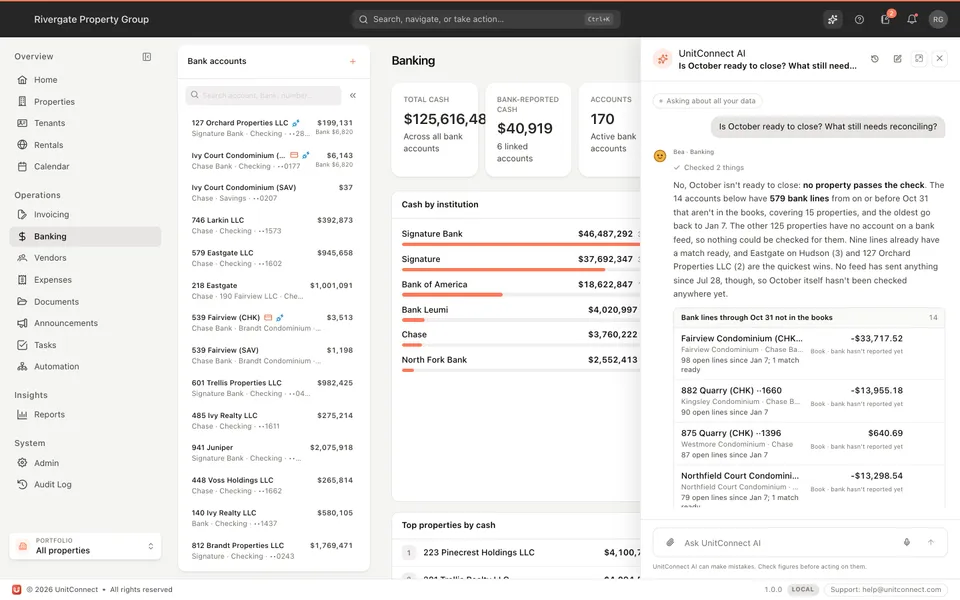
Open UnitConnect AI from any page and ask in plain words. The right specialist answers each question, from the data you can see.
PennyAccounts payable
Knows your bills and vendors: what is overdue, what waits for approval, what looks like a duplicate. Drop an invoice into the chat and she prepares the expense and the payment-approval request for you to confirm.
CharlieAccounts receivable
Knows what tenants owe: balances, overdue amounts, invoices, payments received, rent steps and leases about to expire.
BeaBanking
Knows your cash and bank feeds: what hasn’t cleared, what still needs reconciling, and whether a month is ready to close. She proposes matches between bank lines and the books for you to confirm.
RheaReports
Knows your reports: NOI, profit and loss against budget, which properties are losing money. She quotes the report’s own figures, opens it on screen with the filters applied, and makes the PDF.
Your AI assistant
Connect the AI assistant your team already uses. It looks the answer up in UnitConnect as you, with your own access, and says where the figures come from.
Try asking
It is in UnitConnect under Settings → AI integrations.
As a custom connector, on the web, desktop or mobile app.
Sign in to UnitConnect and approve the connection. Disconnect it whenever you like.
Safeguards
Every answer comes from the properties and screens your own user can open. A property you can’t see, the AI can’t either.
Expenses, bank matches and approval requests arrive as proposals. Nothing is saved until a person confirms it.
No agent or assistant pays a bill, releases funds or moves money.
Balances and report figures are the ones UnitConnect shows on the matching screen, not the AI’s own arithmetic.
Pricing
Any number of users. Each month you pay for the smallest bundle that covers the invoices read and the requests to the AI agents.
Lite
$49/mo
100 invoices read a month
1,000 requests to AI agents a month
Standard
$69/mo
300 invoices read a month
2,000 requests to AI agents a month
Plus
$99/mo
600 invoices read a month
3,000 requests to AI agents a month
Invoices past a bundle: 25¢ each. See all pricing
Each month you pay for the smallest bundle that covers it: Lite is $49 for 100 invoices and 1,000 requests, Standard is $69 for 300 invoices and 2,000 requests and Plus is $99 for 600 invoices and 3,000 requests. Requests are what your team asks the AI agents to answer or do. Invoices past a bundle are 25¢ each. It is free for the first 7 days of your trial.
No. UnitConnect works fully without it. The expenses inbox still takes your invoices; you type the fields yourself.
Everyone. It is turned on for the whole company with no per-user charge, and each person sees only what their own access allows.
Anything it would save comes to you as a proposal first, and every answer shows the records it read. AI can make mistakes, so check figures before acting on them.
Claude and ChatGPT, and Claude Code. Each person connects their own and can disconnect it at any time. A company admin can disconnect anyone on the team.
Yes. An admin can rename each agent, change its picture, or switch it off for the whole company.
7-day free trial of the full product. Card required, no charge until the trial ends. Cancel anytime.
Prefer a walkthrough? Schedule a demo