One file, the invoices inside it
A 74-page scan of the day’s mail comes back as the invoices it contains, split at the right pages, each ready to confirm.
 UnitConnect
AI add-on
UnitConnect AI reads the vendor, amount, invoice number and dates off each invoice, and works out where one invoice ends and the next begins in a batch scan. It proposes; you confirm. Nothing is saved until you confirm it.
What you get
A 74-page scan of the day’s mail comes back as the invoices it contains, split at the right pages, each ready to confirm.
Vendor, amount, invoice number, dates and the property it belongs to arrive filled in. A person confirms before anything becomes an expense.
Past the included count it keeps reading and bills the overage. Nobody gets cut off in the middle of the day’s post.
Decline it and the inbox still works — you type the fields yourself. It is an add-on because each invoice we read has a real cost.
How it runs
The whole stack, as it came out of the scanner.
Each invoice is separated out with its fields proposed from what is on the page.
Correct anything that is off and confirm. The expense is created from what you approved, not from what was guessed.
FAQ
It is a $49 per month add-on that includes 300 invoices. Past that, additional invoices are 25¢ each. Reading does not stop when the allowance runs out — it continues and the overage is billed.
No. The expenses inbox and queue work without it; you enter the fields yourself. It is priced separately because each invoice read has a real cost.
You see the proposed fields before anything is created, and you correct them. Nothing becomes an expense until you confirm it.
Keep going
One shortcut finds any tenant, property, vendor or invoice — and takes you straight there.
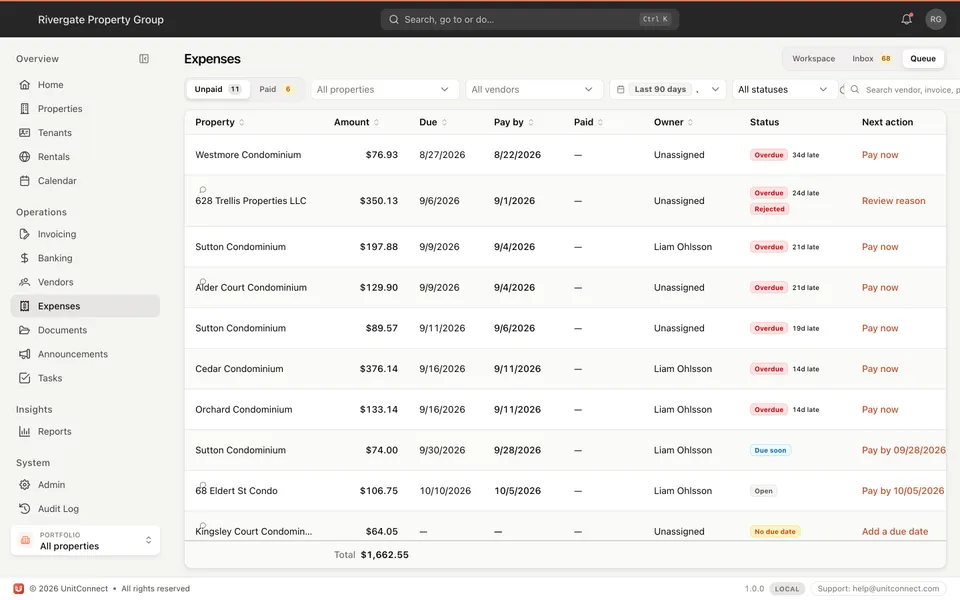
Learn moreEvery invoice that arrives becomes visible work, and leaves only when somebody resolves it.
Learn moreTrack CAM, taxes, and insurance against what you collected — then invoice the shortage or credit the overage.
Learn moreOnline rent, documents, lease summary, and maintenance requests without a separate tenant stack.
Learn more7-day free trial of the full product. Card required, no charge until the trial ends. Cancel anytime.